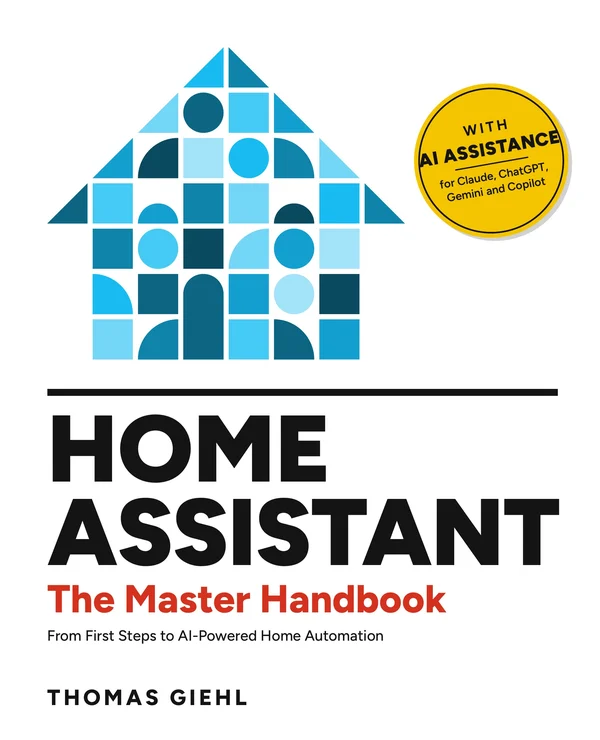
Home AssistantThe Master Handbook
From First Steps to AI-Powered Home Automation
One book, one house, one continuous path: you set up Home Assistant, run your heating and solar power, and finally let an AI help you build and troubleshoot. No prior knowledge needed.
More than 500 pages in full color. Paperback coming in early November. Free AI companion included.
What makes this book different
There are good books about Home Assistant. This one sets out not to leave you alone at the point where it gets interesting.
One house, forty chapters
Alex, Kim, Mia and Ben build out their home step by step. Every guide plays out in this one example installation, so you see how the pieces work together instead of collecting isolated recipes.
A companion for your AI
The book comes with a free companion for Claude, ChatGPT, Gemini and Copilot. With it, your AI knows how the book is laid out, points you to the right chapter and picks up corrections when Home Assistant changes.
AI as a tool, with rules
Part VI shows how to connect Home Assistant to an AI via MCP. It hunts down errors in logs and traces and drafts automations. Nothing changes without an impact report and your approval.
All the way to advanced topics
Dynamic electricity pricing and charging windows, home batteries, EV chargers and bidirectional charging, taking devices out of the manufacturer's cloud, and a standby system on a cheap thin client.
Hardware that fits you
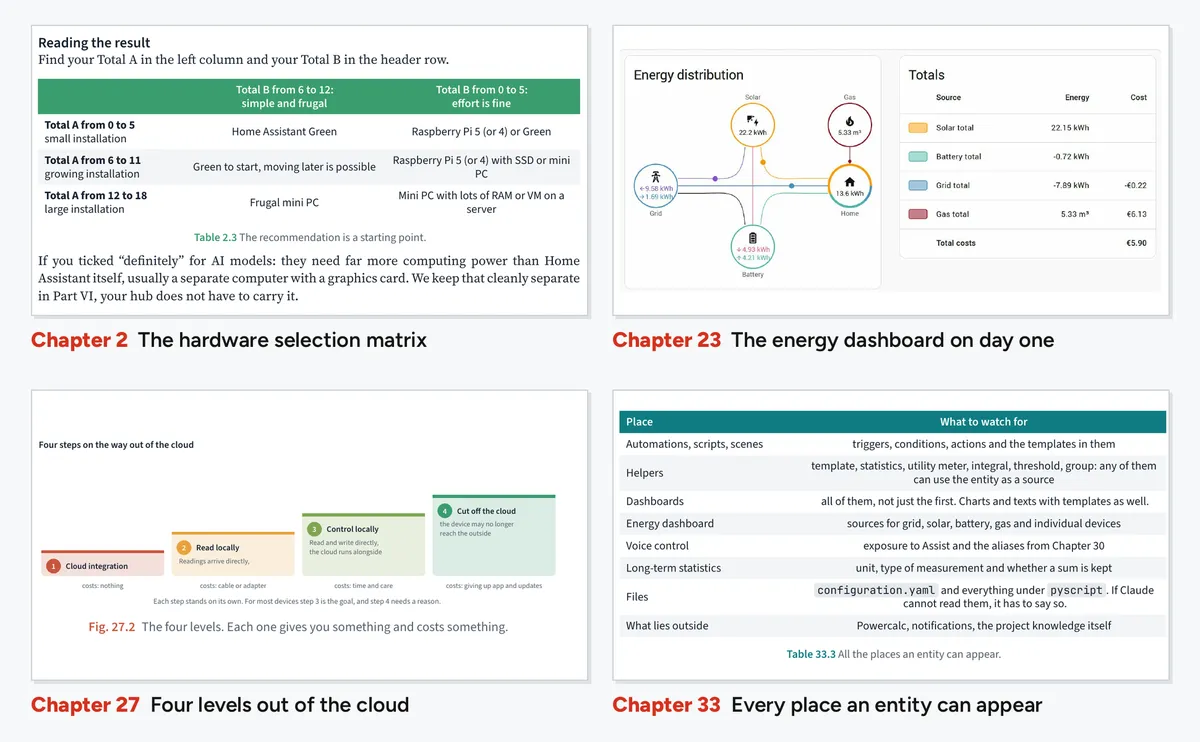
A selection matrix takes you from your needs to the right hardware in about ten minutes: Green, Raspberry Pi, mini PC, NAS or virtual machine.
Rookie mistakes
A dedicated appendix collects the typical mistakes, sorted by chapter, so you don't have to make them all yourself.
Six parts, one path
Each part builds on the last. Start at the beginning or jump in wherever your setup is today.
IQuick start
Chapters 1 to 4. What Home Assistant can do, the right hardware, first devices, first dashboard, first automation, backup and remote access.
IIFundamentals
Chapters 5 to 11. Integrations and entities, areas, dashboards, automations, scripts, helpers, templates and just enough YAML.
IIIRadio and devices
Chapters 12 to 16. Zigbee, Matter and Thread, Z-Wave, ESPHome, Shelly, Tasmota and HACS.
IVProjects for beginners
Chapters 17 to 20. Lighting and presence, notifications, garden irrigation, cameras and alarms.
VProjects for advanced users
Chapters 21 to 28. Heating, air conditioning on surplus solar, the energy dashboard, batteries and dynamic pricing, EV charging, pyscript and Modbus, leaving the cloud, resilience.
VIPro use with AI
Chapters 29 to 40. Assist and local models, MCP, setting up projects and skills, working rules, troubleshooting, automations and code with AI, documentation, monitoring, security and costs.
Build your home with AI
An AI can help a lot in Home Assistant, and it can break a lot. Part VI shows you how to use it safely.
- Connect Home Assistant to Claude via MCP, with a project, project knowledge and skills
- Working rules: impact report first, then approval, always with a way back
- Troubleshooting with logs, traces and history
- Develop automations, dashboards and pyscript together
- Automate documentation and monitoring
The companion works with
- Claude
- ChatGPT
- Gemini
- Copilot
Download the companion for free from GitHub. The archive password is in chapter 0. View the companion on GitHub
The hallway light no longer turns on automatically in the evening.
I checked the traces of “Hallway light at sunset”. The automation runs fine, but since the clocks went back the hallway gets dark before sunset.
Suggestion: also trigger when the hallway illuminance sensor drops below 30 lx.
| Affected | Effect | Risk |
|---|---|---|
| 1 automation | new trigger | low |
| Hallway dashboard | none | none |
Looks good, go ahead.
Meet the Mustermensch family
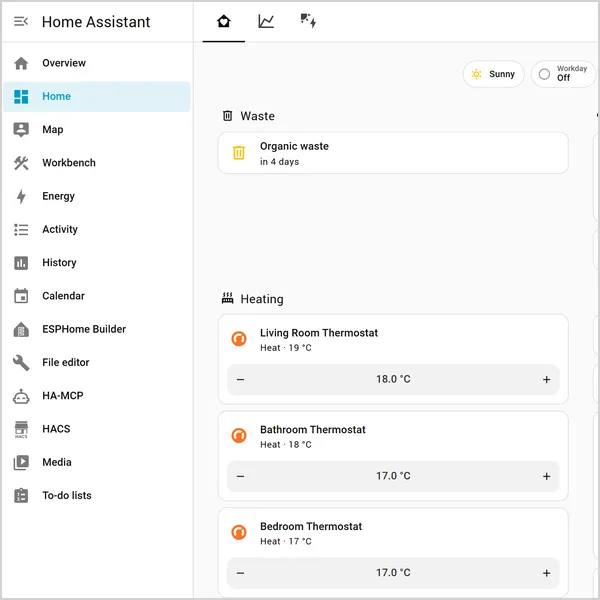
Alex and Kim live with Mia and Ben in a detached house in Cologne. It starts with a lamp that needs the manufacturer's app, a thermostat and a smart plug with an app each, and a dark hallway on a Tuesday evening. The installation grows with the book, and every screenshot comes from a dedicated demo instance.
- Chapter 3lamp, smart plug, thermostat
- Part IVlighting, garden, security
- Part Vsolar, battery, heat pump, EV charger
- Part VIthe AI joins in
Who this book is for
You're just starting
You don't have Home Assistant yet or just installed it. The book walks you through from choosing hardware.
You want more
Your system runs, but heating, solar, battery or EV charging are still missing. Part V was written for you.
You want to work with AI
You already use Claude, ChatGPT, Gemini or Copilot and want to put them to sensible use in your home.
Choose your edition
Current prices on Amazon.com. As of October 2026. The companion is free with every edition.

About the author
Thomas Giehl started in 1982 with an Apple II that refused to boot for days, because nobody had told him the boot command. He stuck with it. Later he ran the workshop of a large computer retailer, spent twenty years at an international corporation, ten of them as head of IT for Europe, and today heads IT at a non-profit organization in Germany.
He has used Home Assistant since the early versions. It started with a small lamp, then heating and energy management followed. That journey is in this book, updated to the current state of Home Assistant.
Besides IT, he has published a historical novel and music for wind orchestra. He lives with his wife near Cologne.
Frequently asked questions
Do I need prior knowledge?
No. The book starts with the question of which hardware fits you and explains every term the first time it appears.
Which AI do I need for the companion?
Claude, ChatGPT, Gemini or Copilot. A lot works with free accounts, more with a paid one. Chapter 0 explains the differences. Part VI works with Claude, but the method carries over.
Where do I get the companion?
For free on GitHub. The archive is password protected; the password is in chapter 0. The companion keeps being maintained after printing, for example when Home Assistant changes.
How current is the book?
It reflects Home Assistant as of fall 2026. The companion catches changes from new releases until they make it into a new edition of the book.
Does Home Assistant cost anything?
Home Assistant itself is open source and free. You pay for hardware and devices. The selection matrix in chapter 2 helps you find out how much you need to spend.
Is there a German edition?
Yes, “Home Assistant: Das Masterhandbuch”. See the German site for details.
Start with the first lamp.
And don't stop until your home works the way you want it to.